


Sale
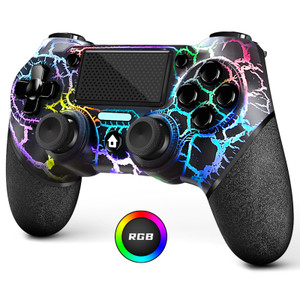
AceGamer Light-up Wireless Controller for PS4,Black Crack Custom Design with RGB Light,1000mah Battery, 3.5mm Audio Jack and Turbo Function,Compatibl
AceGamer
AED194.00
AED146.00
(No reviews yet)

Write a Review
AceGamer
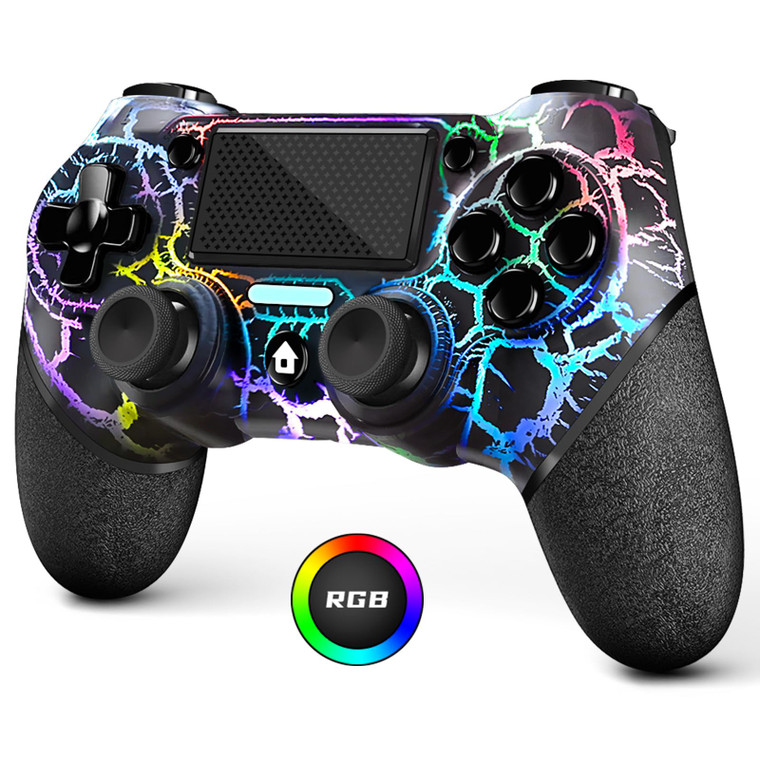
AceGamer Light-up Wireless Controller for PS4,Black Crack Custom Design with RGB Light,1000mah Battery, 3.5mm Audio Jack and Turbo Function,Compatibl
About the product
- ??Attention?It's compatible with PS4/Pro/Slim/Windows PC. When you are connecting it to game console for the first time, you need to use the charge cable in the package. When you are connecting it to PC, you need to hold down 'share + home' for 3 seconds. The controller's white light would flash, and you'll see the controller on your PC, which has the BT name 'wireless controller'.
- ??Long Battery Life?Because we added RGB lighting, we increased the capacity of the battery.The 1000 mah battery can provide the controller with a longer life compared to other controllers, despite using it with the lights on.
- ??Turbo Function?You can customize any key as a turbo key. First, hold down the 'share' key, then click the turbo key you want to set up successfully. Secondly, you can adjust the turbo frequency. First, hold down the 'share' key, then touch the joystick on the right up and down. There are three gears to adjust in total.
- ??Three Luminous Mode?Hold down right joystick then click share button to switch light mode: Colorful light,breath light and flashing light. Hold down right joystick then move up or down left joystick to adjust brightness(4 level,colorful light mode).
- ??To Be AceGamer?You Can Get?1x Controller for PS4;1x USB-C Charge Cable;1x User Manual. AceGamer specializes in providing customized controllers for game lovers. No matter what problem you encounter, please leave us a message, we will reply to you within 24 hours.NOTE:Fast charging cannot be used to charge the controller, it will damage the controller's battery.
- ??Connection instructions? 1?P4 first connection requires the use of the product's original cable, and host pairing in order to carry out the wireless connection. 2?wireless connection needs to press and hold the HOME and SHARE button 3-5S, and then in the host Bluetooth device can see the Wireless Controller controller name, click on the pairing connection can be. (You can watch our video for detailed operation)